How leads reach you
A motorist nearby needs a service you offer, and you see the job before you decide.
When a motorist nearby asks for a service you offer, within your distance and working hours, the lead appears under Leads › New, with a tone if Sound and vibration is on.
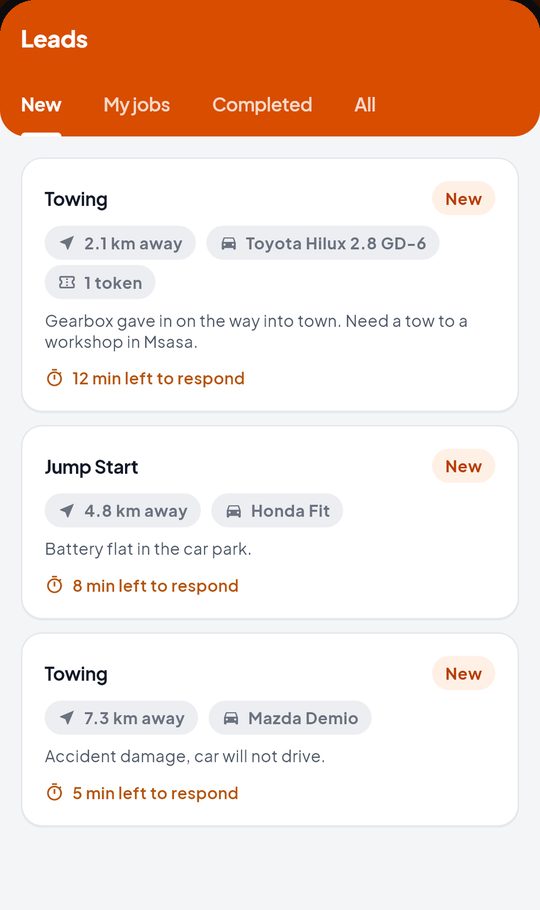
Each lead shows the service, how far away it is, the vehicle, the motorist’s note, how much it uses from your plan, and how long you have left to respond.
Switch on Open new leads automatically in Settings to jump straight to a new lead when you are on the home screen.
The Leads tabs
- New: leads waiting for your answer.
- My jobs: jobs you are on.
- Completed: jobs you have closed.
- All: everything.