Accept a lead
Accept to tell the motorist you can help. They choose who comes out.
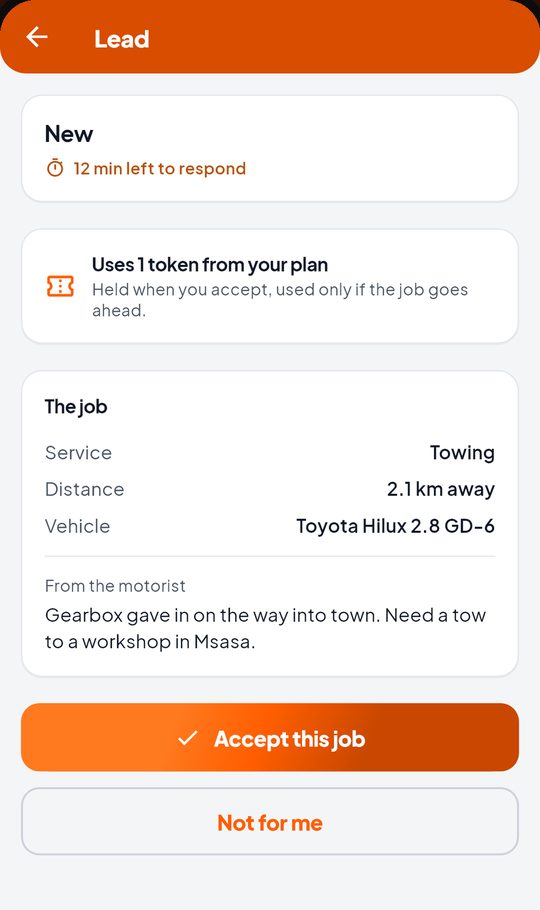
- Open the lead and read The job: service, distance, vehicle and the note from the motorist.
- Check what it uses from your plan. It is held when you accept, and used only if the job goes ahead.
- Tap Accept this job, or Not for me.
When you accept, the motorist sees your business and your number, and can choose you. Other providers may have accepted too. Their name and number reach you the moment they pick you.
If the motorist chooses you
- Tap Call the motorist to agree the work and the price.
- Tap Open in your maps app for directions.
- Once you have agreed the work and the price, tap Job agreed with motorist.
If they choose someone else
You will see Went to another provider, and what was held comes back to your plan.