Set up your services and area
Tick the services you offer, then set where you work, how far you travel and your hours.
After you sign up, two quick steps make sure only leads you can take reach you.
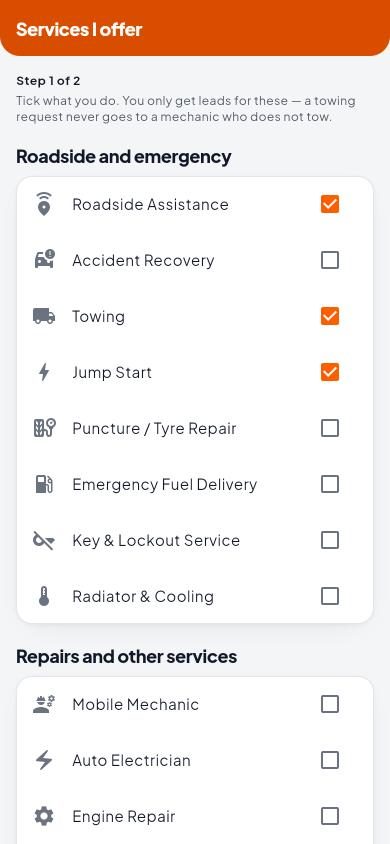
Step 1: Services I offer
Tick what you do. You only get leads for these: a towing request never goes to a mechanic who does not tow. Services are grouped into Roadside and emergency and Repairs and other services.
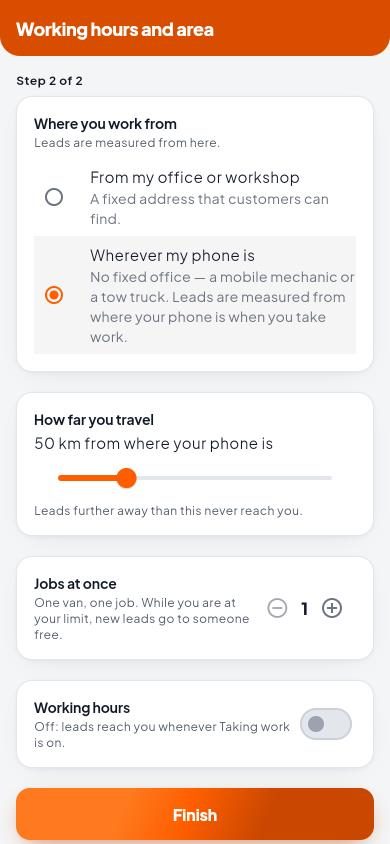
Step 2: Working hours and area
- Where you work from. From my office or workshop (a fixed address customers can find, pinned on the map), or Wherever my phone is (no fixed office, such as a mobile mechanic or a tow truck).
- How far you travel. Leads further away than this never reach you.
- Jobs at once. One van, one job. While you are at your limit, new leads go to someone free.
- Working hours. Switch on to receive leads only inside your hours. Off: leads reach you whenever Taking work is on.
Tap Finish. You can change all of this later in Settings › Working hours and area, and your services from the home screen under Services I offer.
Next, verify your ID so leads can reach you.