Verify your ID
Two pictures with your phone. We check within a day, with no fees.
Motorists share their location with whoever comes out, so we check who you are before any lead can reach you. It takes two pictures with your phone and is usually reviewed within a day. No certified copies, no fees.
- From the home screen, tap Verify your ID to receive leads (or Settings › Verification), then Start.
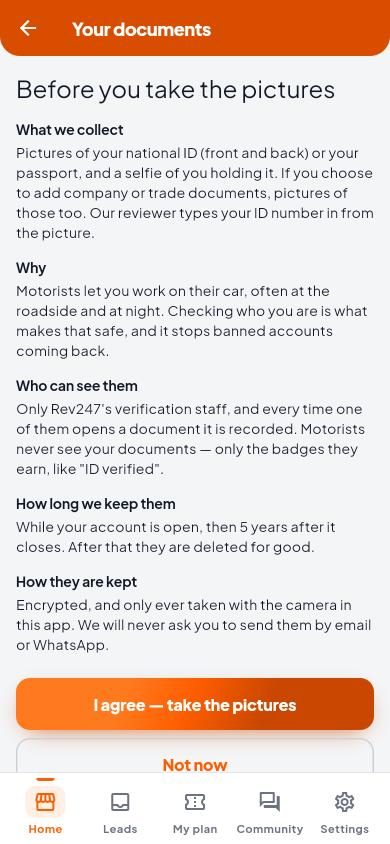
- Read Before you take the pictures and tap I agree — take the pictures.
- Take a picture of your Zimbabwe national ID: the front, and the back unless it is the metal kind with nothing on the back. Not a Zimbabwean citizen? Use your passport.
- Take a selfie holding your ID next to your face, picture side towards the camera.
- Tap Send for review.
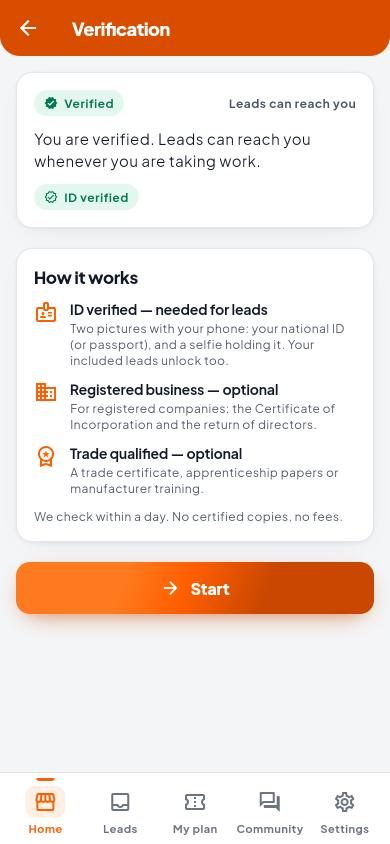
Your pictures are saved but not checked until you tap Send for review. Until then, no leads can reach you.
Tips for a picture we can read
- Lay the ID flat on a plain, dark surface, with all four corners in the picture.
- Good light, with no glare or shadow across it. Hold the phone still.
- For the selfie: good light on your face, not behind you. No hat, no sunglasses.
- Can you read every word? If not, tap Take it again.
Who sees my documents?
Only Rev247’s verification staff, and every look is recorded. Motorists never see your documents, only the badges you earn. Pictures are encrypted, taken only with the camera in the app, and kept while your account is open and for 5 years after it closes. We will never ask you to send them by email or WhatsApp.