Ask for roadside help
Tell us what you need and where you are. Nearby providers answer within minutes.
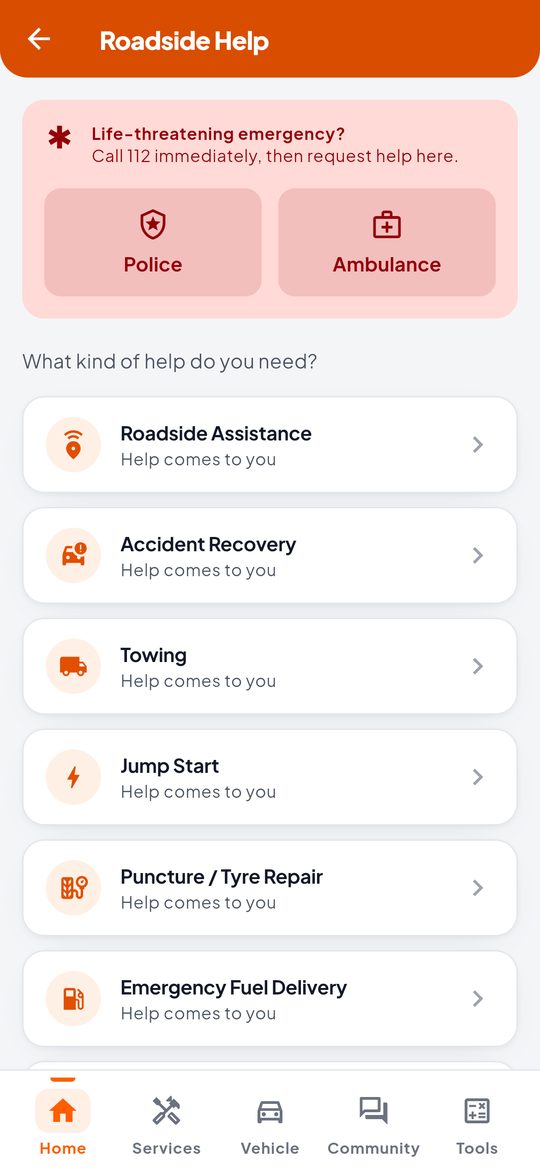
- On the home screen, tap Call Roadside Help.
- Choose the help you need: roadside assistance, accident recovery, towing, jump start, puncture or tyre repair, emergency fuel, lockout, and more.
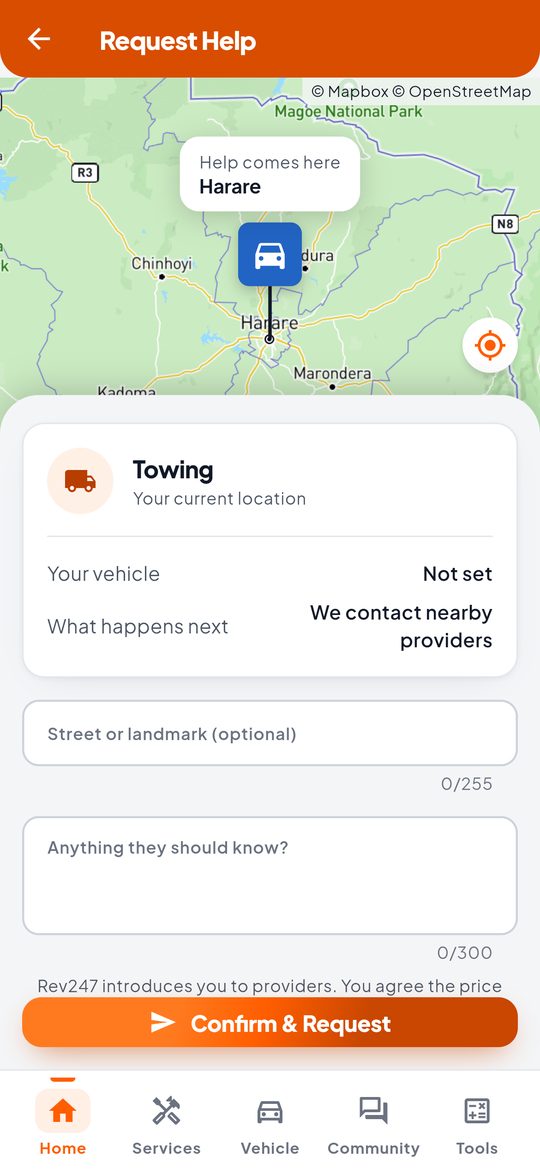
- Check the pin on the map. Help comes here. Move the map if the pin is in the wrong place, or tap the target button to use your location.
- Add a street or landmark, and anything the provider should know, such as “white Honda Fit outside the Total garage”.
- Tap Confirm & Request.
What happens next
We contact verified providers near you who offer that service. You will see Finding help nearby while we wait. This usually takes a few minutes. When providers say they can help, you choose one. See Choose a provider.
Life-threatening emergency? Call 112 first, then ask for help here. While you wait, stay with your vehicle if it is safe, switch on your hazard lights and stand clear of moving traffic.
Good to know
- You can have one request open at a time. Cancel it to ask for something else.
- Allow Rev247 to use your location so help finds you. If you would rather not, move the map to where you are.
- Rev247 introduces you to providers. You agree the price with the provider yourself.